
Most disorganized websites did not begin with a plan to become disorganized.
They grew one reasonable request at a time. A campaign needed a landing page. A department uploaded a document. An event ended, but its page stayed live. Someone created a new version of a resource without finding every place the old one was linked.
Over time, the website became a place to put things rather than a carefully maintained collection of information.
If that sounds familiar, I would start by looking at the way content gets added, reviewed, and retired. A cleanup can help, but a clearer management process is what gives the cleanup somewhere to go.
Understand how the clutter arrived
Website clutter often reflects unanswered organizational questions.
Who decides whether a new page is needed? Who checks for existing content? Who owns the information after publication? Who knows when it becomes outdated?
When those responsibilities are unclear, adding something new can feel easier than updating what already exists. Each request may make sense on its own, while the overall website becomes harder to understand.
For example, a hypothetical organization might have three pages explaining the same program. One was created by marketing, one by the program team, and one for a campaign. Each has slightly different dates and instructions. The issue involves both duplicate content and the absence of a shared source of truth.
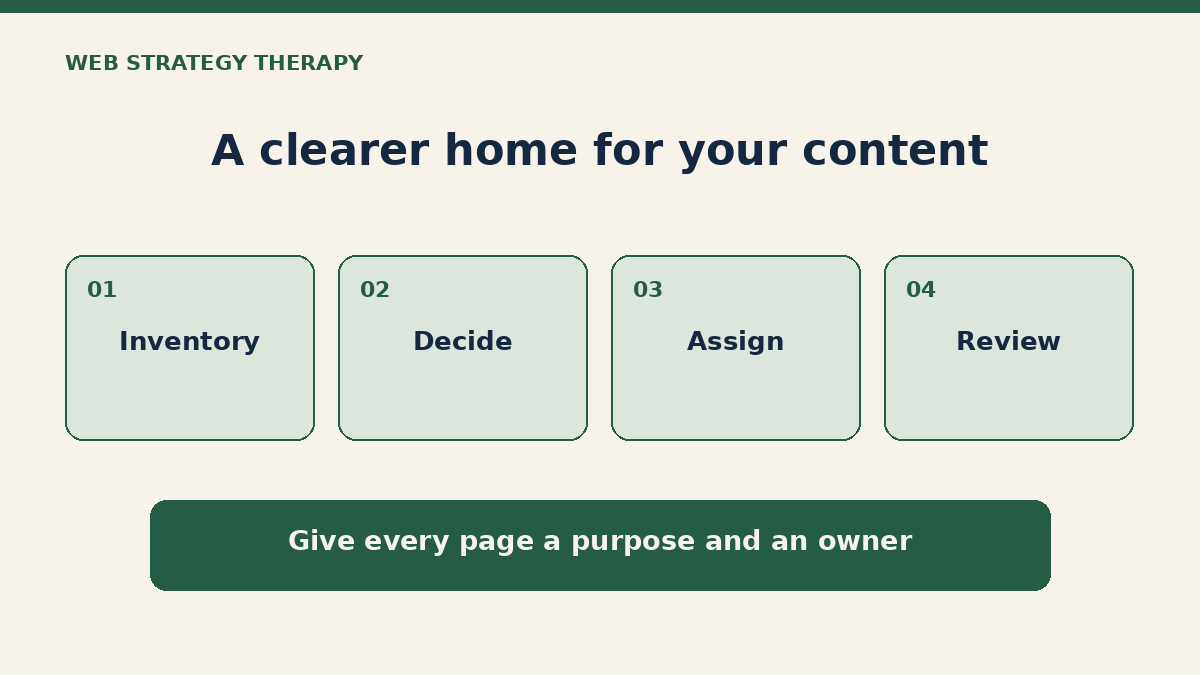
Begin with one useful area
You do not have to inventory the entire website before making progress.
Choose a section that matters to the business and has a manageable scope: service information, a resource collection, current events, or a group of frequently used documents.
Create a simple list of the pages and files in that area. For each item, record its location, purpose, intended audience, responsible owner, and known concerns.
If usage data is available, include it as one part of the assessment. A page with little traffic may still support an important task or obligation, so avoid using pageviews as the only reason to remove it.
The first inventory should help you see the work. It does not need to become another complicated system that no one maintains.
Give each item a decision
Once the content is visible, sort it into practical actions:
- Keep: It is accurate, useful, and belongs where it is.
- Update: The purpose is still useful, but information or presentation needs attention.
- Combine: Several items serve the same need and would be clearer together.
- Retire or archive: It no longer belongs in the active visitor experience, subject to any retention requirements.
- Investigate: Someone needs to confirm its purpose, accuracy, ownership, or technical dependencies.
Record the reason for the decision and who needs to approve it. That makes the work easier to explain and reduces the chance of repeating the same discussion later.
Follow the connections before removing content
A page or document can be linked from other pages, emails, campaigns, bookmarks, or external websites. Removing it without considering those connections may leave people at a dead end.
Before retiring an item, check relevant links and decide what visitors should find instead. Where appropriate, plan an updated link or a redirect with your developer. Keep organizational retention requirements in mind before deleting material permanently.
For documents, confirm which version should be treated as current and how older versions will be handled. A consistent filename alone will not solve the problem if multiple copies remain publicly accessible.
Assign ownership that people understand
“Marketing owns the website” does not mean marketing knows every policy, service detail, or event date.
A useful ownership model distinguishes between the person responsible for the information and the person responsible for publishing it. A department may verify accuracy while marketing manages the page structure and publication process.
Write down who supplies updates, who reviews them, and who approves them. Where there are several contributors, identify a responsible decision-maker so requests do not wait indefinitely for a group to agree.
Ownership should make questions easier to answer, not simply move all the work onto one person.
Establish a review habit that fits the content
Different content needs different attention. Event information has an obvious deadline. Service information may need review when the offering changes. A policy may follow an established organizational review cycle.
Record the next review date or trigger, along with the owner. Ask simple questions during the review: Is this still accurate? Does the audience still need it? Are its links and documents current? Is there duplicate information elsewhere?
A manageable routine is more useful than an ambitious schedule your team cannot sustain.
Make future additions easier to evaluate
Before publishing a new item, ask whether existing content could meet the need. If a new page is warranted, define its purpose, owner, place in the site, and review trigger before it goes live.
That turns the cleanup into a repeatable practice. You are giving the next request a clearer path instead of rebuilding the same clutter after every campaign.
My Website Governance service is designed to help establish those responsibilities and workflows. If you first need to understand where the biggest problems are, we can discuss a Website Audit.
Start with one section, a clear owner, and a useful decision for each item. That is a practical way to begin.